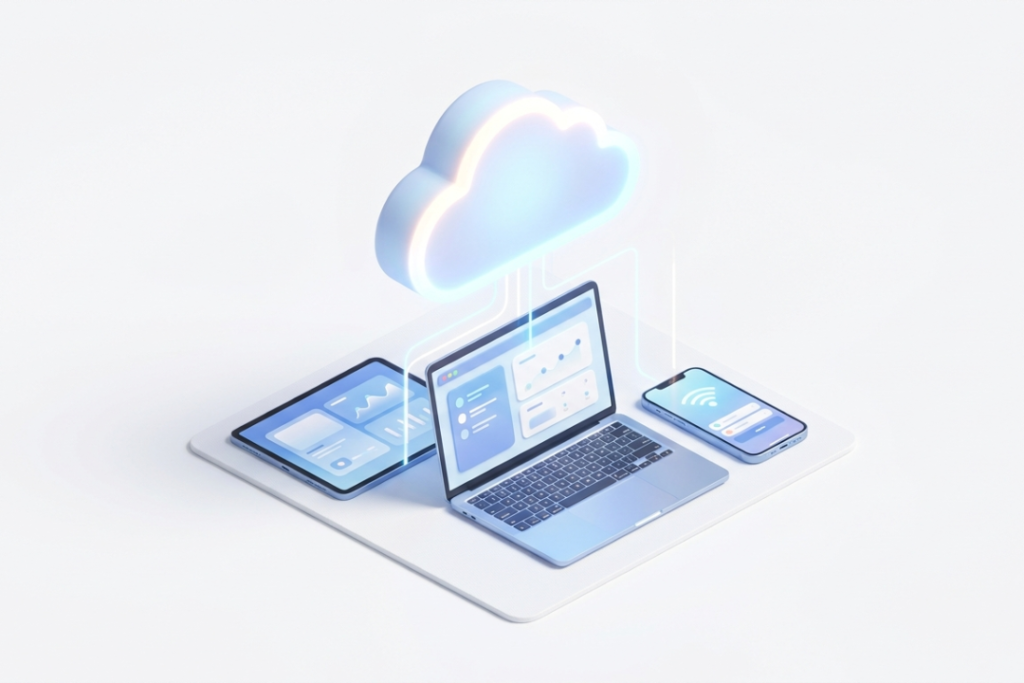
Cloud computing has changed how people use software. Before , using software meant buying a CD , installing it on your computer and waiting for updates that came every few years. It was slow. It was expensive. And it only worked on one device. Today , things are very different.
SaaS has transformed how businesses work, with nearly all companies using it today. And the market keeps growing every single year. This guide explains everything about SaaS in simple , clear language. No confusing terms. Just straight , useful information.
What Is SaaS in Cloud Computing?
SaaS means Software as a Service—software you use online instead of installing. Instead of buying and installing a program on your computer , you just open a browser , log in and start using it.
The software runs on the provider’s servers. They handle everything — updates , maintenance , security and storage. You just use the product.

Simple example: Think about the difference between buying a DVD and using Netflix. When you buy a DVD , you own it. You store it. You manage it. If it scratches , it is your problem.
Netflix is different. You pay a monthly fee. You watch what you want. Netflix handles everything else — the content , the updates , the servers. You just press play.
SaaS works exactly like Netflix. You subscribe , you use it , someone else handles the rest.
SaaS gives you:
- Software accessible from any device , anywhere
- Automatic updates and maintenance
- Subscription based pricing , no big upfront cost
- Data stored securely in the cloud
What Does “As a Service” Mean?
It means you use a service when needed, not own it—like valet parking vs owning a spot. But valet parking is a service — someone else handles the car for you. Buying a spot is a product — it is yours to manage.
Traditional software was a product. You bought it , installed it and managed it yourself.
SaaS is a service. The provider builds it , hosts it , updates it and keeps it running. You just use it.
With SaaS:
- No installation needed
- No manual updates
- No hardware required
- Access from any internet connected device
A Quick History: How SaaS Started
SaaS did not appear overnight. It has a long history that goes back further than most people think.

- 1960s — Time Sharing In the 1960s , large mainframe computers were connected to simple terminals. Multiple users shared the same mainframe and its software. This was called time-sharing — the earliest form of shared software delivery.
- 1980s — Local Networks As computers got cheaper , businesses built their own local networks. Each company managed its own hardware and software. But all the responsibility stayed with the business.
- 1990s — Application Service Providers When the internet arrived , providers started hosting software online. This was called the ASP model. But it had problems. Each customer needed their own version of the software. Setup was slow and expensive.
- The first working SaaS products appeared in the late 1990s. One instance of the software could serve many users at once — called multi-tenant architecture. No local installation needed. Data could be collected and managed centrally.
- Today — Modern SaaS Today , SaaS covers everything — finance , HR , marketing , sales , customer service and more. AI , machine learning and automation are now built right into many SaaS platforms.
How Does SaaS Work?
SaaS works through a simple process that happens entirely online.
The provider builds and hosts the software on their cloud servers. You access it through a browser or app. They handle everything in the background.

Here is how it works:
- You sign up and choose a subscription plan
- You log in through a browser or mobile app
- The software runs on the provider’s servers , not your device
- Your data is stored securely in the cloud
- The provider pushes updates automatically , no action needed from you
- You pay monthly or annually based on your plan
No downloads. No installations. No waiting for IT support.
Key Features of SaaS
SaaS works differently because of some important features.
Main features include:
- Subscription model – Pay monthly or annually , cancel anytime
- Multi-tenant architecture – One software instance serves many users at once
- Automatic updates – Provider handles all upgrades and patches
- Cloud storage – Data is stored online , accessible from anywhere
- API integration – Connects easily with other tools and software
- Scalability – Add or remove users and features anytime
- Cross-device access – Works on computers , tablets and mobile phones
Benefits of SaaS
SaaS offers clear advantages for businesses and individuals alike.
Because the provider handles everything , users can focus on their actual work.
Key benefits include:
- Cost savings – No hardware to buy , no software licenses to purchase upfront
- Easy accessibility – Use it from anywhere , on any device , at any time
- Automatic updates – Always have the latest version without doing anything
- Quick deployment – Get started in hours , not weeks or months
- Easy scalability – Grow your plan as your business grows
- Strong security – Top SaaS providers invest heavily in data protection
- Disaster recovery – Data stored in the cloud stays safe even if your device breaks
- Better collaboration – Teams in different locations work on the same platform in real time
Drawbacks of SaaS
SaaS is powerful , but it has its challenges too.
Businesses should understand these before making a decision.
Possible drawbacks:
- Vendor lock-in – Moving your data to another provider can be difficult and expensive
- Less control – The provider manages everything , leaving you with limited customisation
- Internet dependency – No internet means no access to your software
- Ongoing costs – Monthly fees add up over time , especially as your team grows
- Security concerns – Your data lives on a third party’s servers
- Latency issues – SaaS apps can sometimes be slower than locally installed software
- Compliance challenges – Meeting data regulations like GDPR or HIPAA can be complex
Types of SaaS
SaaS comes in many types. Each one is built for a specific business need.
Main types include:
CRM Software – Manages customer relationships and sales pipelines. Examples: Salesforce , HubSpot
- HR Software – Handles employee management , payroll and performance tracking. Examples: Workday , BambooHR
- ERP Software – Manages daily business operations like accounting and supply chain. Examples: Oracle ERP , SAP
- Project Management Software – Plans , tracks and coordinates tasks and teams. Examples: Trello , Asana , Monday.com
- Email Marketing Software – Creates and sends marketing emails and tracks results. Examples: Mailchimp , Constant Contact
- Accounting Software – Tracks finances , invoices and cash flow. Examples: QuickBooks , Xero
- Collaboration Tools – Helps teams communicate and work together. Examples: Slack , Microsoft Teams , Zoom
SaaS vs IaaS vs PaaS
There are three main cloud service models. Each offers a different level of control.

Quick comparison:
| IaaS | PaaS | SaaS | |
| What you get | Raw infrastructure | Development platform | Ready-made software |
| Who manages hardware | Provider | Provider | Provider |
| Who manages OS | You | Provider | Provider |
| Who manages apps | You | You | Provider |
| Best for | IT teams , sysadmins | Developers | End users , businesses |
| Examples | AWS EC2 , Azure VM | Heroku , App Engine | Gmail , Zoom , Salesforce |
Simple example:
- IaaS is an empty plot of land. You build everything yourself
- PaaS is a fully equipped workshop. Tools are ready , just start building
- SaaS is a finished house. Move in and start living right away
Real-World Examples of SaaS
SaaS is everywhere. You have probably used several SaaS products today without even realising it.
Popular SaaS examples:
- Gmail / Google Workspace – Email , documents and collaboration tools online
- Zoom – Video meetings and webinars from any device
- Salesforce – Customer relationship management for sales teams
- Slack – Team communication and messaging platform
- Dropbox — store and share files online
- Shopify — create and run an online store
- Mailchimp – Email marketing and automation
- Canva — create graphics and designs online
- QuickBooks — manage accounts and send invoices
Real example: Netflix uses AWS SaaS infrastructure to stream content to millions of users worldwide simultaneously. It scales automatically during peak hours , delivers personalized recommendations using data analytics and maintains high availability with almost zero downtime — all powered by cloud-based SaaS technology.
SaaS in Industry Verticals
SaaS is used across many different industries. Each industry uses it differently.
Key industries:
- Healthcare – Electronic health records , telemedicine and medical billing systems
- Education – E-learning platforms , student management and virtual classrooms
- Finance – Online banking , accounting , auditing and risk management tools
- Retail – E-commerce platforms , inventory management and customer loyalty programs
- Manufacturing – Supply chain management , predictive maintenance and quality control
- Legal – Case management , document handling and e-discovery tools
- Government – Public record management , e-government services and administrative automation
- Entertainment – Content streaming , audience analytics and digital distribution
Who Should Use SaaS?
SaaS is not for everyone , but it is a great fit for many.
SaaS is ideal for:
- Small businesses that need affordable , ready-to-use software
- Startups that want to launch fast without heavy IT investment
- Remote teams working from different places
- Large companies managing many teams and tasks
- Businesses that need software for occasional or short-term use
- Users who don’t want to deal with updates or maintenance.
How to Choose the Right SaaS Vendor
The right SaaS choice helps you grow. The wrong one slows you down.
Key factors to consider:
- Security – Does it follow important rules like GDPR or HIPAA?
- Scalability – Can it grow with your business?
- Ease of use – Is it simple for your team?
- Integration – Does it work with your current tools?
- Support – Can you get help easily?
- Pricing – Is it within your budget?
- Data ownership – Can you take your data with you if you leave?
- Uptime – Does it stay online and work reliably?
Before signing up , ask yourself:
- How many users will need access?
- What integrations do I need?
- What is my monthly or annual budget?
- How important is data security for my business?
The Future of SaaS
The future of SaaS looks very promising.
Technology is moving fast and SaaS is moving with it.

Key trends shaping the future:
- AI is being built right into SaaS platforms, which makes them smarter and more tailored to each user.
- Machine Learning: Platforms are automatically learning how users behave and changing to fit.
- SaaS is connecting with smart devices and physical systems through IoT integration.
- Blockchain: Making SaaS platforms safer and more open with their data
- Vertical SaaS: SaaS solutions that are made for one industry only
- AI Assistants are chatbots and digital helpers that come with most SaaS tools.
SaaS is more than just giving people software now. It is becoming a place where new ideas, automation and smart business decisions can happen.
Key Takeaways
- SaaS delivers software over the internet on a subscription basis
- The provider handles everything — updates , security , maintenance and storage
- It saves money , improves accessibility and makes scaling easy
- Main risks are vendor lock-in , internet dependency and ongoing costs
- SaaS is used across healthcare , finance , education , retail and more
- Top examples include Gmail , Zoom , Salesforce , Slack and Shopify
- The future of SaaS includes AI , machine learning and IoT integration
Frequently Asked Questions
What is SaaS in simple terms?
SaaS is like Netflix for software. You pay a monthly fee , log in and use the product. The provider handles everything else — updates , storage and security.
Who uses SaaS?
Almost everyone. Businesses of all sizes use SaaS — from small startups to large enterprises. Remote teams , schools , hospitals and government offices all use SaaS products daily.
Is SaaS secure?
Yes , when you choose a reputable provider. Top SaaS companies invest heavily in encryption , access controls and compliance. But you should always check what security measures the provider has in place.
What is the difference between SaaS and traditional software?
Traditional software is installed on your device and managed by you. SaaS runs in the cloud and is managed by the provider. No installation , no manual updates , no hardware needed.
Can small businesses afford SaaS?
Yes. SaaS is actually ideal for small businesses. There are no big upfront costs. You pay monthly based on what you use. Many providers offer affordable starter plans and free trials.