Cloud computing has changed how software is built. Before , making an app meant buying servers , setting up systems and configuring databases. All of that happened before a single line of code was written. It took weeks. It cost a lot. Today , none of that is necessary.
Platform as a Service — or PaaS — has made app development much simpler. The market is expected to hit $164.3 billion by 2026. It is growing fast because it actually works.
This guide covers everything about PaaS in plain , simple language. No confusing terms. Just clear , straight information.
What Is PaaS in Cloud Computing?
PaaS stands for Platform as a Service.
Let’s say a developer wants to create an app. There are two options.
Option one — set everything up yourself. Buy a server. Install an OS. Configure a database. Then start coding. This process alone can take weeks.
Option two — use a ready platform where everything is already set up. Just log in and start building.
PaaS is option two.
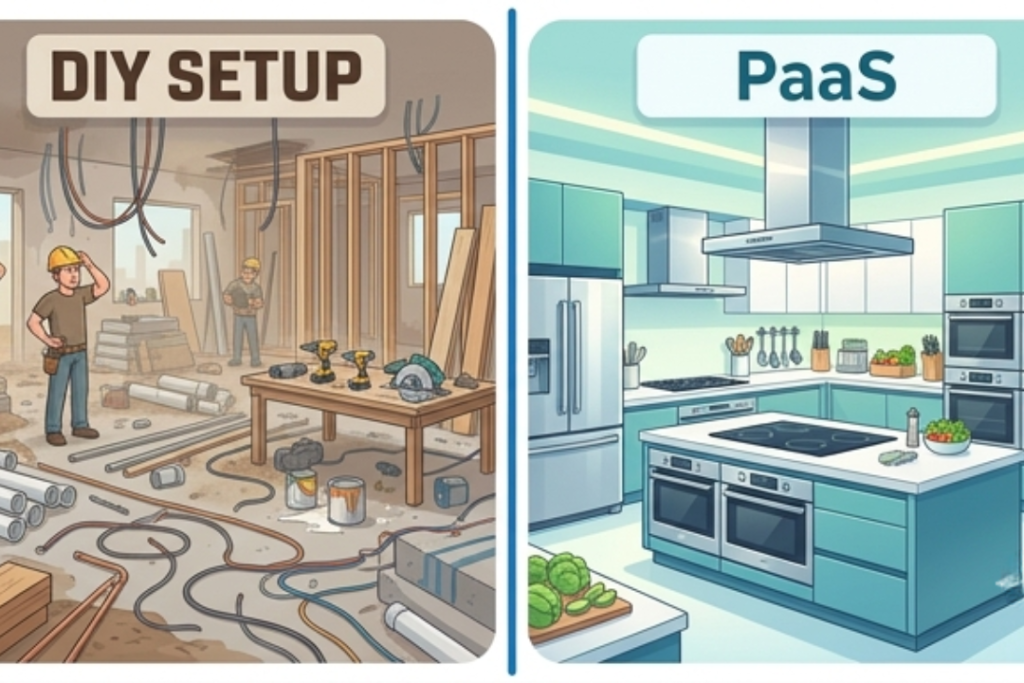
Simple example: Think of yourself as a chef. You need to cook a meal. You can either build a kitchen from scratch — buy equipment , set up plumbing , install appliances. Or you can walk into a fully equipped kitchen where everything is ready.
PaaS is that ready kitchen. You just show up and start cooking — or in this case , coding.
PaaS gives you:
- Development tools and frameworks
- Ready-to-use databases
- Operating system , already configured
- Flexible , pay-as-you-go pricing
What Does “As a Service” Mean?
It means you use a service instead of owning it.
Like renting instead of buying a car. When you buy , you pay a big amount upfront , handle repairs and deal with maintenance. When you rent , you just drive and pay for the time you use it.
PaaS works the same way.
You do not buy the platform. You use it when you need it and pay based on your usage. The provider handles everything in the background.
With PaaS:
- Provider manages servers , OS and databases
- You manage only your app and data
- No hardware to purchase
- No maintenance to worry about
A Quick History: How PaaS Started
It helps to know where PaaS came from.
In the early 2000s , building software was a long process. A developer would first order hardware. Then install an OS. Then set up the environment. Then finally start coding.
Just for one simple app , this process could take months.
Then internet speeds improved. Cloud computing started growing. Companies began to think — why not offer development tools online too?
Heroku launched in 2007. Google App Engine followed. Then AWS added its own services.
Developers realised they no longer needed to set up anything locally. Everything could happen in a browser.
That was the beginning of PaaS — and it changed software development forever.
How Does PaaS Work?
PaaS works through a simple process that happens entirely in the cloud.
You sign up with a provider. They give you a ready environment. You work inside it. The provider handles everything behind the scenes.
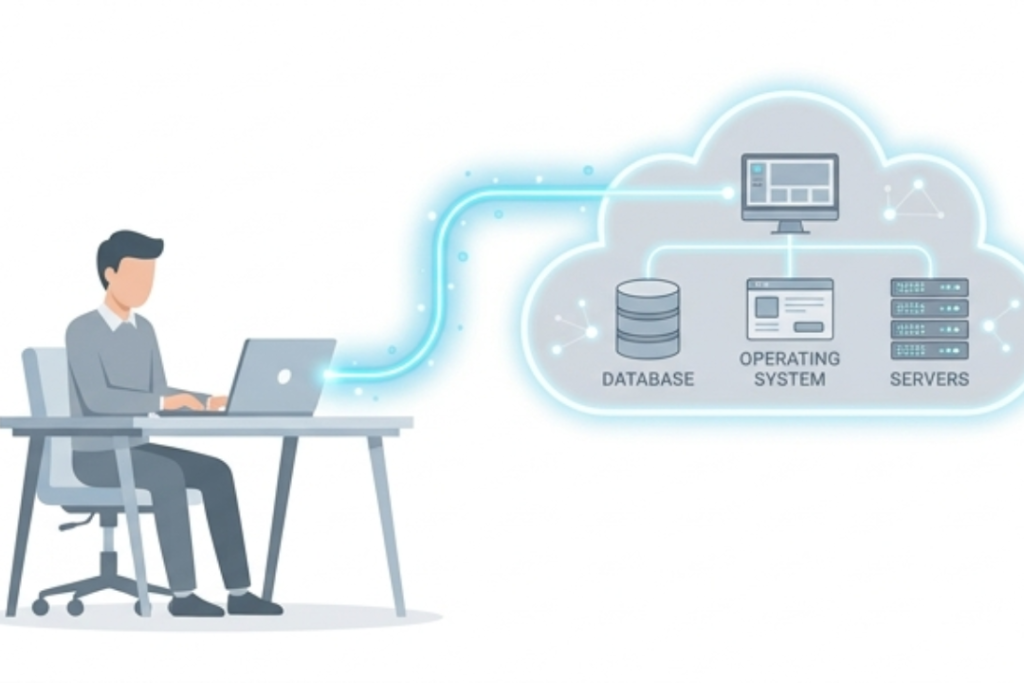
Here is how it works:
- You choose a PaaS provider based on your needs
- The provider gives you a ready OS , database and development tools
- You write your code using built-in tools
- You test your app in a sandbox environment at no extra cost
- Deployment happens automatically , no manual steps needed
- The provider handles scaling when traffic increases
- You monitor performance through a built-in dashboard
- No backend headaches. No server setup. Just build and launch.
Key Components of PaaS
PaaS is made up of several important parts that work together.
Each part plays a specific role in making development faster and more reliable.
Main components include:
- Development Tools – Code editors , debuggers and testing tools , all in one place
- Middleware – Software that connects your app to the OS and other services
- Operating System – Linux or Windows , managed by the provider , not you
- Databases – SQL and NoSQL databases , ready to use , no manual setup needed
- Infrastructure – Servers , storage and networking , all the provider’s responsibility
- Security – Encryption and access controls are built right into the platform
Benefits of PaaS
PaaS offers clear advantages for both developers and businesses.
Teams that use PaaS work faster. Their time goes into actual development , not managing infrastructure.
Key benefits include:
- Faster development – Everything is ready , no time wasted on setup
- Cost savings – No hardware to buy , no maintenance to manage
- Easy scaling – Add more resources instantly as your app grows
- Team collaboration – People from different locations work on the same platform
- No licensing stress – OS and tool licensing is handled by the provider
- Quick deployment – Apps go live faster with automated deployment tools
- Safe testing – Test new features in a sandbox without any extra cost or risk
Drawbacks of PaaS
PaaS is powerful , but it is not perfect. Businesses should understand the challenges before making a decision.
Possible drawbacks:
- Vendor lock-in – Your app is built using the provider’s tools , switching later is hard
- Less control – You cannot fully customise the underlying infrastructure
- Ongoing costs – Monthly fees grow over time , especially as usage increases
- Security concerns – Your data and code are stored with a third party
- Integration challenges – Connecting PaaS with older systems can be complex
- Learning curve – New teams may need time to get comfortable with the platform
Types of PaaS
PaaS comes in several types. Each type is made for a different use. Choose based on your app and needs.
Main types include:
- Public PaaS – Runs on shared cloud , easy to set up , great for small and medium businesses
- Private PaaS – Dedicated infrastructure , more control and security , better for large enterprises
- Hybrid PaaS – Combines public and private , gives flexibility and cost efficiency together
- Mobile PaaS – Used for mobile app development
- CPaaS – Adds chat and calling features
- AI/ML PaaS – For AI and machine learning
- DBaaS – Handles and scales databases
PaaS vs IaaS vs SaaS
There are three main cloud models. Each offers a different level of control.
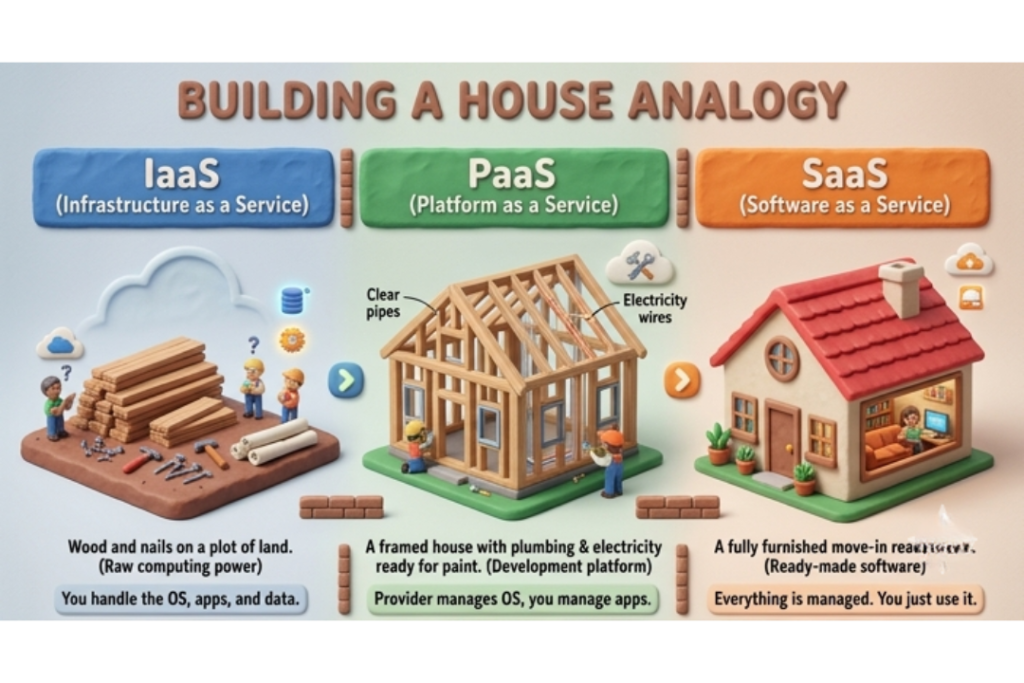
Quick comparison:
| IaaS | PaaS | SaaS | |
| What you get | Raw infrastructure | Development platform | Ready-made software |
| Who manages hardware | Provider | Provider | Provider |
| Who manages OS | You | Provider | Provider |
| Who manages apps | You | You | Provider |
| Best for | IT teams , sysadmins | Developers | End users |
| Examples | AWS EC2 , Azure VM | Heroku , App Engine | Gmail , Zoom , Shopify |
Simple example:
- IaaS is an empty plot of land. You build everything yourself
- PaaS is a fully equipped workshop. Tools are ready , just start working
- SaaS is a finished product. Take it out of the box and use it
PaaS vs Serverless Computing
These two look similar but they work very differently.
Both remove the need to manage servers. But scaling , pricing and tooling are quite different.
Main differences:
- Scaling – Serverless grows on its own, while in PaaS you have to handle it.
- Startup time – Serverless starts when needed, but PaaS apps stay running all the time.
- Development tools – PaaS gives you more built-in tools, while Serverless has fewer.
- Pricing – Serverless charges per fraction of a second. PaaS charges monthly or by resource usage
- Best for – PaaS suits full app development. Serverless suits specific small functions that run occasionally
Real-World Use Cases
PaaS fits well in many real situations , especially where speed and teamwork matter.
Common use cases:
- Startups that need to launch apps quickly without investing in infrastructure
- Remote teams collaborating on one project from different locations
- Businesses testing new features without buying extra hardware
- Companies building mobile apps using dedicated mobile PaaS platforms
- Data teams running AI and machine learning models on cloud platforms

Real example:
A small startup wanted to launch a food delivery app. Instead of spending months on server setup , they used Google App Engine. Their app was ready in a few weeks. The platform handled scaling automatically as more users joined. They only paid for what they actually used.
Who Should Use PaaS?
PaaS is not for everyone , but it is a great fit for many.
PaaS is ideal for:
- Developers who want to focus on coding , not infrastructure
- Startups that need to build and launch fast without big upfront costs
- Remote or distributed teams that need a shared development environment
- Businesses building custom applications for internal or external use
- Companies looking to reduce IT costs and management overhead
Popular PaaS Providers
Many large companies offer PaaS worldwide. Each has different strengths.
Top providers:
- AWS Elastic Beanstalk – Easy deployment on Amazon’s powerful cloud
- Microsoft Azure App Service – Best for teams already using Microsoft tools
- Google App Engine – Strong in scalability and data-heavy applications
- Heroku – Simple and developer-friendly , great for startups
- IBM Cloud Foundry – Popular in enterprise and regulated industries
- Salesforce Lightning – Built specifically for CRM and business apps
- DigitalOcean App Platform – Affordable and simple , ideal for independent developers
How to Get Started With PaaS
PaaS is simple to start using.
Simple steps:
- Choose the app you want to build
- Pick a provider that supports your language
- Start with a free trial or free tier
- Set up your development environment using built-in tools
- Write and test your code
- Deploy your app with one click
- Monitor performance and scale as your user base grows
Before choosing a provider , ask yourself:
- Which programming language does my team use?
- Do I need mobile , AI or database specific tools?
- What is my monthly budget?
- How important is customer support to me?
Key Takeaways
- PaaS gives developers a ready platform to build , test and launch apps
- The provider manages all infrastructure , OS and databases
- It saves time , reduces costs and makes collaboration easier
- Main risks are vendor lock-in , less control and ongoing subscription costs
- Top providers include AWS Elastic Beanstalk , Google App Engine and Heroku
- PaaS is best for those who want to focus on building , not managing
Frequently Asked Questions
What is PaaS in simple terms?
PaaS is like a ready setup for developers. Everything you need is already there—you just start coding.
Who uses PaaS?
Mostly developers , software teams and businesses building custom apps. It is popular with startups , enterprises and remote development teams.
Is PaaS secure?
Yes , when security best practices are followed. The provider secures the infrastructure. You are responsible for keeping your application and data safe.
What is the difference between PaaS and SaaS?
PaaS gives you a platform to build your own apps. SaaS gives you ready-made apps to use. PaaS is for builders. SaaS is for users.
Can small businesses use PaaS?
Yes. PaaS is great for small businesses. It saves cost and helps you build and launch apps quickly.