Slow websites and random downtime are frustrating. Anyone who has dealt with a site going offline during a busy period knows how much damage it can do. Most of the time, the problem comes back to one thing — too much pressure on a single server.
Cloud hosting works around this completely.
Your website runs across several connected servers at once. When one gets too busy or fails, another one picks up the slack. No one has to manually intervene. The site stays up and keeps loading normally.
This is why so many businesses and growing websites have moved away from traditional hosting. This guide breaks down what cloud hosting is, who it works for and why it has become such a popular choice.
What Is Cloud Hosting?
Cloud hosting runs your website across multiple servers instead of one physical machine. Those servers share CPU, RAM, storage and bandwidth between them.
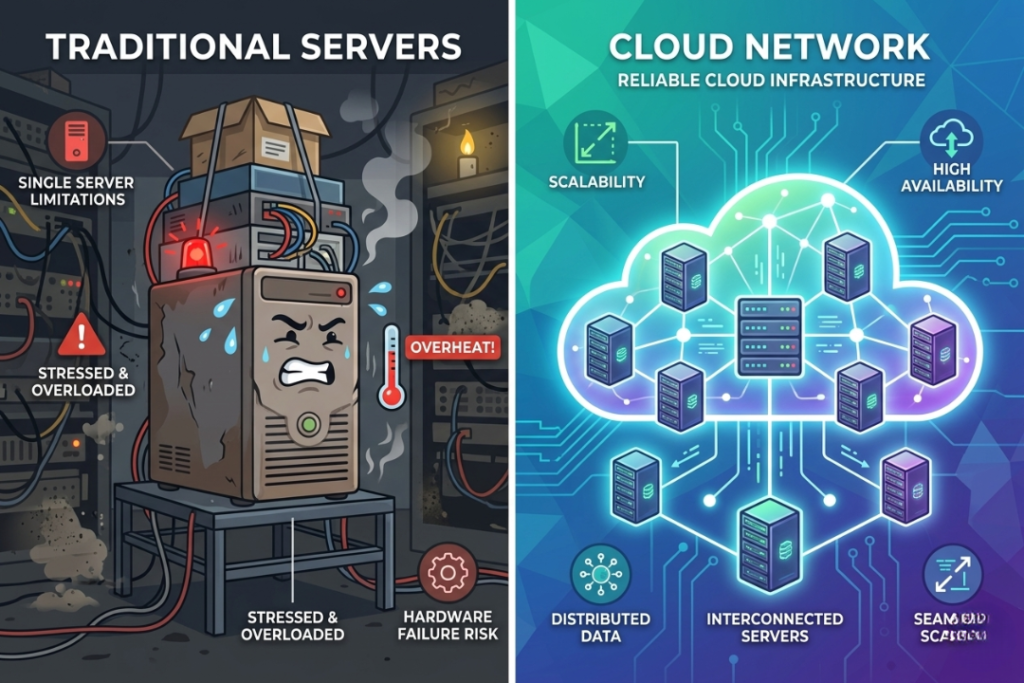
When one server has trouble, another takes over. Simple as that. The website keeps running and visitors do not notice anything went wrong. You also get the ability to adjust resources based on what your site actually needs at any point in time, which traditional hosting cannot offer.
Why Businesses Are Switching
Websites today need more than basic hosting can give. Speed matters. Being offline costs money. Traffic does not follow a neat schedule.
Shared hosting handles things well enough most of the time. But run a sale, get a mention somewhere big or launch something new — and that single server starts to show its limits. Things slow down. Sometimes the site just crashes.
Cloud hosting deals with those moments without drama. The infrastructure adjusts on its own. No manual upgrades, no crossed fingers, no emergency emails to your host.
Who Should Use Cloud Hosting?
Anyone whose website is growing, getting unpredictable traffic or simply cannot afford to go offline regularly.
It works well for ecommerce stores, startups, SaaS products, agencies, business websites and blogs that get real traffic. If downtime has actual consequences for your business, cloud hosting makes sense.
12 Benefits of Cloud Hosting
1. Easy Scalability
Traffic does not warn you before it arrives. A sale, a viral post, press coverage — any of it can bring in thousands of visitors within minutes.

Cloud hosting adjusts on its own. Resources increase when needed and pull back when things quiet down. No manual work, no downtime during changes. Traditional hosting hits a hard limit and stays there. Cloud hosting does not have that problem.
2. High Uptime and Reliability
When your website lives on one server, that server going down means your website goes down. There is no backup plan.

Cloud hosting spreads everything across multiple servers. One fails, another takes over straight away. That handoff happens automatically and your visitors never see a thing. This is called failover protection and it is one of the main reasons cloud hosting keeps sites online more consistently.
3. Faster Website Performance
One server handling all traffic will eventually slow under pressure. Cloud hosting splits that traffic across several servers so no single one gets crushed.

Pages load faster. The experience stays smooth even when a lot of people are visiting at the same time. Lower bounce rates tend to follow.
4. Pay Only for What You Use
Fixed hosting plans charge the same amount every month regardless of whether you use everything included or not.
Cloud hosting charges based on actual usage. Quiet periods cost less. Busy periods cost more but the resources were actually there doing something. It is a more sensible way to pay for hosting.
5. Automatic Backups
Data gets copied across multiple servers, not just stored in one place. Most providers also run scheduled backups on top of that.
If something goes wrong — a hardware failure, an accidental deletion, a security problem — recovery is usually fast. For any website that matters to your business, that safety net is worth having.
6. Strong Disaster Recovery
Power outages, hardware failures, unexpected technical problems — none of these are completely avoidable. What changes is how quickly you recover.
Cloud hosting stores your data across multiple systems, so a problem in one place does not wipe everything out. Getting back online takes far less time than it would with traditional hosting. For businesses where being offline directly costs money, that speed of recovery matters a lot.
7. No Advanced Technical Skills Required
Managed cloud hosting handles the technical side for you. Updates, monitoring, maintenance, security patches — the provider takes care of it.
You get a clean dashboard, straightforward tools and none of the server management headaches. Most people set things up without needing any technical background at all.
8. Access From Anywhere
Everything runs through an online dashboard. You can log in and manage your website from wherever you happen to be. For remote teams and businesses spread across different locations, that kind of access is just useful.
9. Better Security
Firewalls, malware scanning, encrypted connections, server isolation, automated security updates — most cloud providers include these as standard. Many also offer DDoS protection.
Cloud environments also keep different customers’ workloads separate from each other, which reduces the risk of one compromised account affecting others nearby.
10. Reduced Dependency on One Server
One server means one point of failure. It is that straightforward.
Cloud hosting spreads everything out. No single server going down can take your whole website with it. That is genuinely a more reliable setup, not just in theory but in day-to-day practice.
11. Cost Effective for Growing Businesses
Running physical server infrastructure is expensive before a single visitor arrives. Hardware, maintenance, space, staff — it adds up fast.
Cloud hosting cuts most of that out. You scale when you need to and pay for what you use. No big upfront costs, no paying for idle capacity. For a growing business watching its budget, that is a much cleaner arrangement.
12. Eco Friendly Hosting
Shared infrastructure means shared energy use. Instead of one physical server sitting mostly idle for each website, cloud hosting pools resources across many users at once.
A lot of providers are also putting money into more efficient hardware, better cooling systems and greener data centers. The overall footprint tends to be lower than running traditional dedicated infrastructure.
SEO Benefits of Cloud Hosting
Better rankings do not come directly from switching to cloud hosting. But faster pages, consistent uptime and a stable experience for visitors all feed into how search engines evaluate a site.
A website that loads slowly or goes offline regularly will lose visitors and eventually rankings too. Solid hosting keeps those problems from becoming SEO problems.
Cloud Hosting vs Other Hosting Types
| Feature | Shared Hosting | VPS Hosting | Dedicated Hosting | Cloud Hosting |
| Servers | Single shared server | One virtual server | Full physical server | Multiple servers |
| Scalability | Limited | Moderate | Limited | High |
| Performance | Basic | Better | High | Very High |
| Reliability | Moderate | Good | High | Very High |
| Traffic Handling | Weak | Moderate | Strong | Excellent |
| Pricing | Cheap | Medium | Expensive | Flexible |
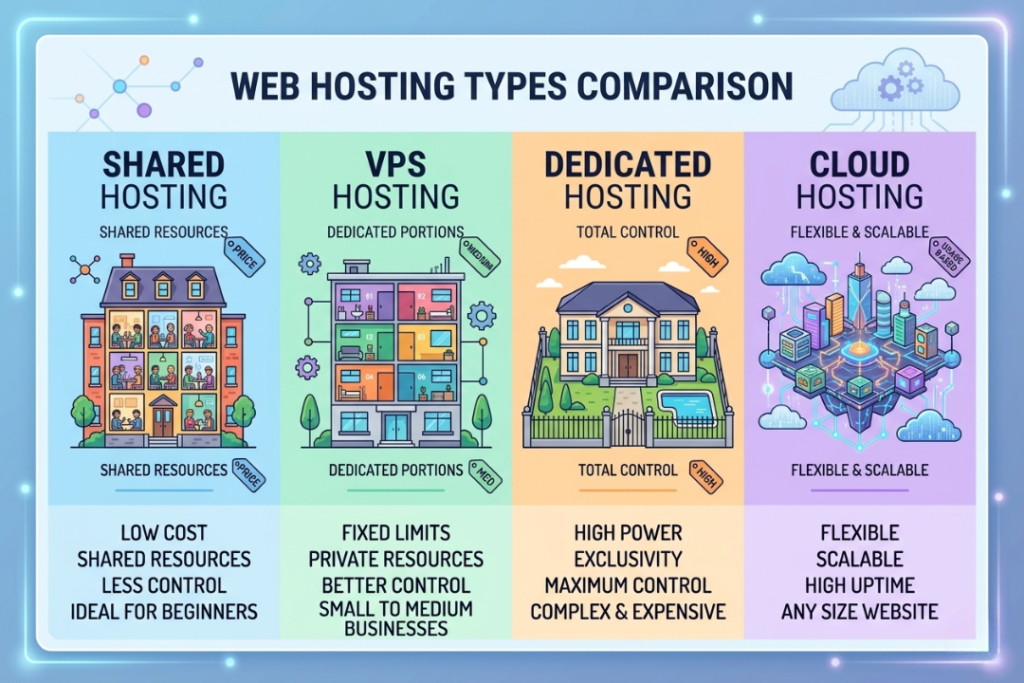
Across almost every category that matters for a growing website, cloud hosting holds up well. The combination of performance, flexibility and reasonable pricing is why it has become the go-to for businesses that have moved past basic hosting.
Any Downsides?
Heavy usage can get expensive. Advanced setups require some technical know-how. You need a stable internet connection to manage things remotely.
For a small personal site that barely gets traffic, shared hosting is still the cheaper and simpler option. But for anything with real growth or real traffic, the limitations of traditional hosting tend to outweigh the lower price pretty quickly.
Final Takeaway
Cloud hosting removes the single biggest weakness of traditional hosting — putting everything on one server. Spread across multiple machines, your website has backup options when things go wrong, room to grow when traffic increases and better performance day to day.
For ecommerce stores, growing businesses, SaaS products and any website where staying online actually matters, cloud hosting is a setup that holds up. As websites get bigger and traffic gets harder to predict, it is becoming less of an upgrade and more of a starting point.
Frequently Asked Questions
Is cloud hosting expensive?
Pay-as-you-go pricing keeps it proportional. Light usage stays affordable. Costs go up with heavier usage but you are actually getting something for that money.
Is cloud hosting suitable for a small business?
Yes. It scales as the business grows so you are not stuck with something that stops working once you pick up steam.
Do I need technical knowledge?
Not with managed hosting. The provider handles the server side. You just manage your website.
Can cloud hosting improve website speed?
Yes. Traffic gets distributed across multiple servers which takes pressure off any single one and generally speeds things up.
Is cloud hosting better than shared hosting?
For most websites with real traffic or growth plans, yes. Better uptime, better performance, more room to scale.
Can cloud hosting handle sudden traffic spikes?
Yes. That is one of the things it handles particularly well. Resources increase automatically when traffic jumps.