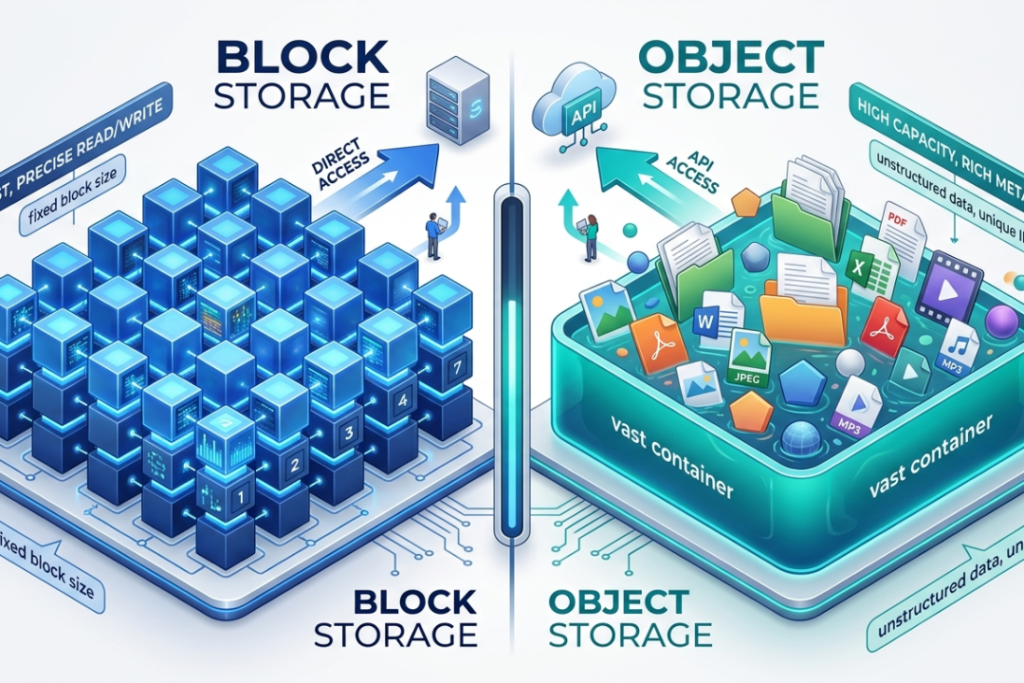
Most people do not think about their hosting until something goes wrong. Traffic spikes, the site slows down, maybe it goes offline entirely. That is usually the moment someone realizes their current setup is not built for growth.
Traditional hosting puts everything on one server. That server has limits. Push past those limits and things break.
Cloud hosting does not work that way.
Your website runs across multiple servers at the same time. They share the load. If one has a problem, the others carry on without missing a beat. Visitors on your site do not notice anything happened.
Businesses, online stores, growing blogs — a lot of them have already made the switch. The reasons are pretty straightforward. Better reliability, more room to grow, and performance that holds up when it actually matters.
Cloud Hosting Made Simple
Picture a small shop with one employee. Fifty people walk in. That one person is completely overwhelmed. Half the customers leave without being served.
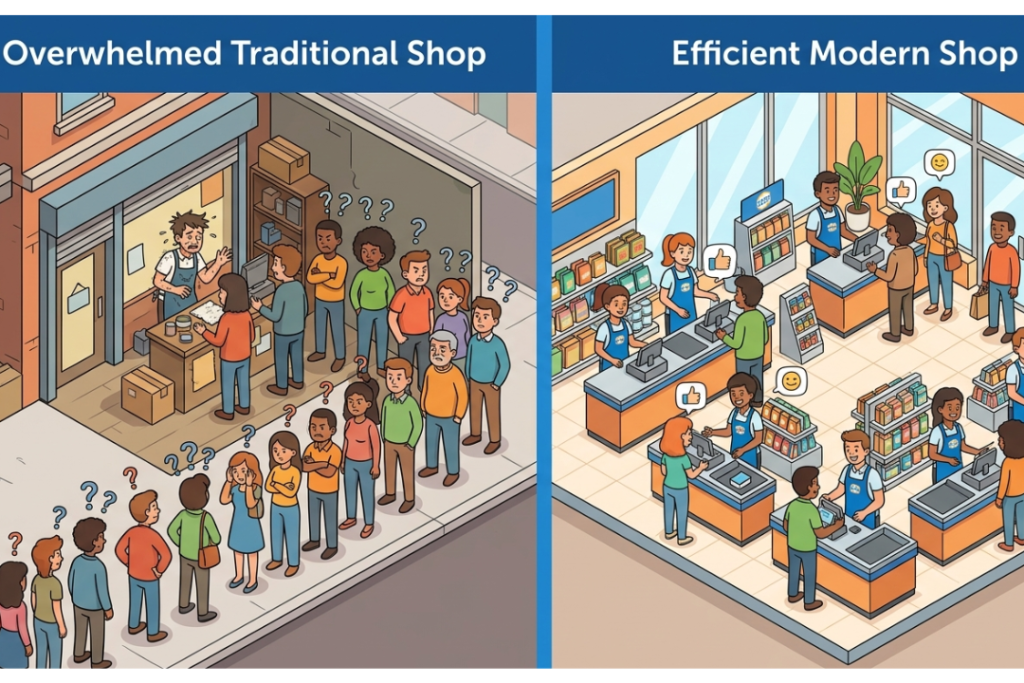
Now picture the same shop with ten people working. Busy periods are handled. Nobody waits too long.
That second scenario is basically what cloud hosting does. Several servers handle your website together. When things get busy, the load gets shared. When one server has an issue, the rest pick it up.
Simple idea. Genuinely useful in practice.
What Is Cloud Hosting?
Cloud hosting runs your website across multiple servers — virtual and physical — rather than keeping it on a single machine. These servers pool their resources. Storage, memory, processing power — it all gets shared across the network.
The practical result is a website that stays up more consistently, handles traffic better and can grow without the usual headaches.
It suits ecommerce stores, SaaS products, business websites and any platform where traffic is unpredictable or likely to grow.
How Does Cloud Hosting Work?
The foundation is a technology called virtualization. One physical server gets divided into several virtual ones, each running independently. These virtual machines — VMs — each have their own resources and can run their own software.
When a visitor comes to your site, the request hits the cloud network. The system picks the best available server, allocates resources, balances the traffic and delivers the page. The whole thing takes milliseconds.
Heavy traffic on one server? Another handles the overflow. A server goes down entirely? A different one steps in before anyone notices. That automatic handoff is called failover protection. It is one of the main reasons cloud hosting keeps sites online more reliably than a single-server setup ever could.

Cloud Hosting Architecture Explained
A few technologies make all of this possible.
- Virtual Machines are the building blocks. Each physical server can host many of them, all running separately. One machine does the work of many.
- The Hypervisor sits underneath and manages everything — deciding how resources get distributed between virtual machines and keeping them isolated from each other.
- Load Balancing is what stops any one server from getting overwhelmed. Incoming traffic gets spread across whatever servers are available at that moment.
- Redundancy means copies of your data exist in multiple places. A failure in one location does not mean data loss. Another system already has what it needs.
- Auto Scaling is what makes cloud hosting genuinely flexible. Traffic jumps — more resources come online. Traffic drops — the system scales back. You are not paying for idle capacity.
Main Features of Cloud Hosting
Scalability
Traffic does not always arrive on a schedule. A product launch, a mention in a popular newsletter, a busy shopping season — any of these can send visitor numbers up fast. Cloud hosting adjusts automatically. No manual upgrades, no emergency calls to your host, no downtime while changes take effect.

High Uptime
Single-server hosting has a clear weak point. The server goes down, the website goes down. Cloud hosting spreads things across multiple servers, so one failure does not take everything with it.
Better Performance
More servers means traffic gets distributed more evenly. Pages load faster. The experience is consistent even when a lot of people are visiting at the same time.
Flexible Pricing
Pay-as-you-go is the standard model with most cloud providers. Quiet month? Lower bill. Big traffic event? Resources were there when needed, and the cost reflects actual usage.
Remote Accessibility
The whole setup can be managed online. Dashboard access from anywhere. No need to be physically near anything.
Cloud Hosting vs Shared Hosting
| Feature | Shared Hosting | Cloud Hosting |
| Servers | Uses a single server | Uses multiple connected servers |
| Performance | Limited performance during high traffic | Better and more stable performance |
| Scalability | Low scalability | High scalability |
| Downtime Risk | Higher risk if one server fails | Lower risk because resources are shared across servers |
| Traffic Handling | Handles limited traffic | Handles high traffic more effectively |
| Flexibility | Basic hosting features | More advanced and flexible features |
Shared hosting is the cheaper option and it works fine for websites that stay small. The problem shows up when traffic grows or spikes. Shared hosting hits its ceiling fast. Cloud hosting is built for exactly those situations.
Cloud Hosting vs VPS Hosting
VPS gives you a dedicated slice of one server. More power than shared, but still tied to a single physical machine.
Cloud hosting connects multiple servers. Better scalability, more consistent uptime. VPS edges it out on raw control if that is something you care about.
Types of Cloud Hosting
Public Cloud
Resources come from a third-party provider and are shared across customers. AWS, Google Cloud and Microsoft Azure are the main players. Cost-effective and widely used.
Private Cloud
Dedicated entirely to one organization. More control, stronger security, higher price. Common in industries where data handling requirements are strict.
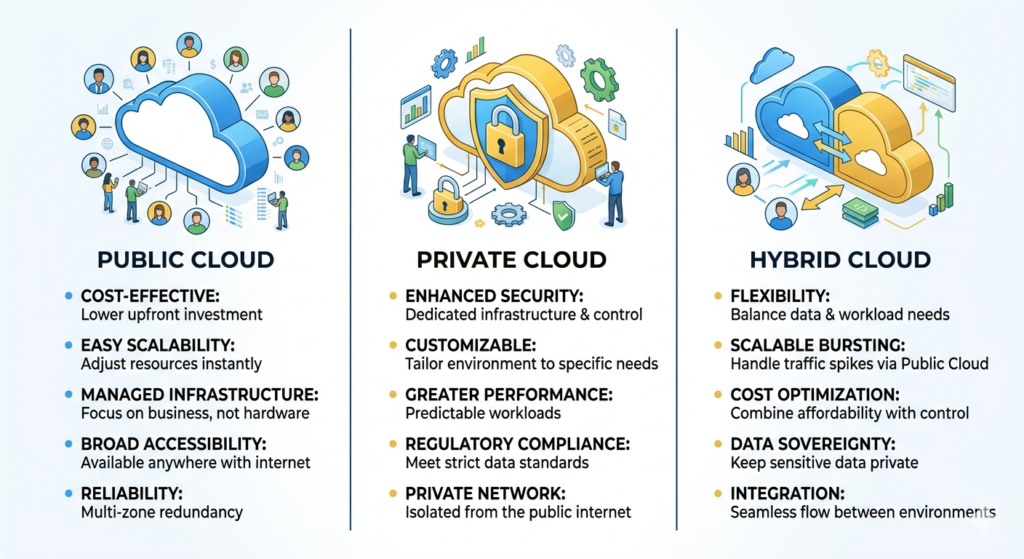
Hybrid Cloud
Public and private combined. Sensitive workloads stay on the private side. Everything else runs on public infrastructure. Good balance of cost and control.
Managed Cloud Hosting
The provider handles updates, monitoring, security and maintenance. You do not have to think about the technical side. For most people starting out with cloud hosting, this is the easiest entry point.
Advantages of Cloud Hosting
Reliable uptime. Faster loading. Scales when you need it to. Handles traffic surges without drama. Pay only for what you use. Data backed up across multiple locations. Easier to manage than running your own servers.
Those are the things that make people stick with it.
Disadvantages of Cloud Hosting
Heavy usage can get expensive. The setup can feel complicated if you are new to it. Some plans give you less direct control than a VPS. If you have a tiny personal site that barely gets traffic, shared hosting is probably still the more sensible choice.
Who Should Use Cloud Hosting?
Ecommerce stores. Growing businesses. SaaS platforms. Agencies managing multiple client sites. Developers who need reliable infrastructure. Any website where going offline costs money or damages trust.

Think about an online store on a big sale day. Thousands of people show up within a couple of hours. A traditional server buckles. The site goes down. Sales stop. Cloud hosting handles that surge automatically and keeps the store running.
When Should You Move to Cloud Hosting?
When your site slows down every time traffic picks up. When you are seeing downtime you cannot explain. When your business is growing and your hosting feels like it is struggling to keep up. When you have hit the ceiling on your shared plan.
Most people who switch say they should have done it earlier.
How to Choose the Right Plan
Start with what you actually know — expected traffic, storage needs, budget, how technical you are comfortable getting. Most providers let you start small. You can always scale up later. You do not have to nail every detail before getting started.
What to Look for in a Provider
Uptime guarantees that are actually backed up. Support that responds when things go wrong. Automatic backups. Security built into the plan. Server locations that make sense for your audience. A control panel that does not require a manual to use.
Is Cloud Hosting Better for SEO?
It does not directly affect rankings. But it affects the things that do — how fast your pages load, how often your site is actually online, how stable the experience is when traffic hits. Search engines notice when a site is slow or unreliable. Your visitors definitely do.
Cloud Hosting and the Environment
Cloud data centers share resources across many users. That efficiency reduces waste compared to running dedicated hardware for every single website. Many providers are also putting real effort into energy-efficient hardware and greener infrastructure. Not a perfect solution, but generally a more responsible one than traditional setups.
The Future of Cloud Hosting
Businesses need hosting that bends without breaking. Cloud infrastructure gives them that. Lower costs compared to owning physical hardware. Faster deployment. Flexibility to grow. As websites and applications get heavier and more complex, cloud hosting has become the default — not the exception.
FAQ’s
Is cloud hosting good for beginners?
Managed cloud hosting takes care of the technical side, so yes — beginners do fine with it.
Is cloud hosting faster than shared hosting?
Usually. Multiple servers handling traffic tends to produce better speed than one server doing everything.
Is cloud hosting secure?
Most providers include firewalls, backups, encryption and monitoring. Strong baseline security out of the box.
Can cloud hosting handle traffic spikes?
That is one of the things it is specifically built for. Resources scale up automatically.
Is cloud hosting expensive?
Depends on usage. Light usage stays affordable. Heavy or sustained usage costs more. Pay-as-you-go keeps it proportional.
Can I host multiple websites?
Most plans allow it. Worth confirming limits with your specific provider.
Does cloud hosting improve uptime?
Yes. Multiple servers mean a single failure does not take the site offline.
Final Thoughts
A website that goes down loses visitors, sales and trust. Cloud hosting is designed to prevent that. Multiple servers, automatic failover, flexible scaling — it is a setup that holds up when things get busy.
That is why it has become the go-to for growing websites, online stores and anyone who cannot afford downtime. Once you are on it, single-server hosting feels like a risk you do not want to take again.